 |
 |
 |
|
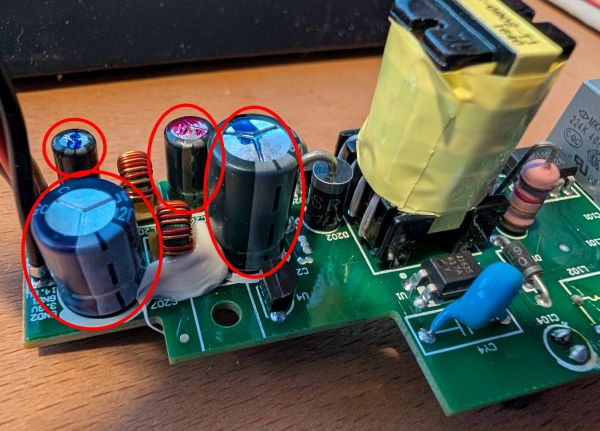
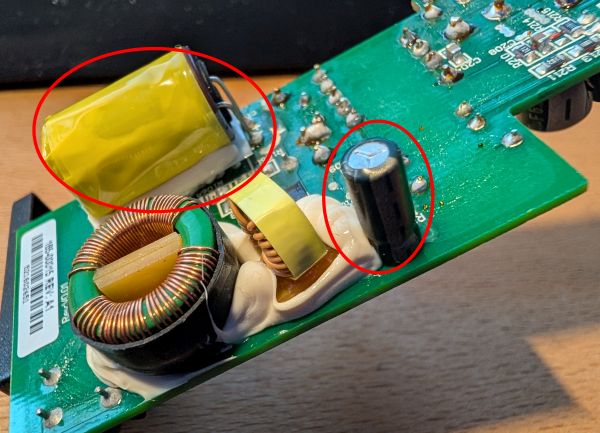
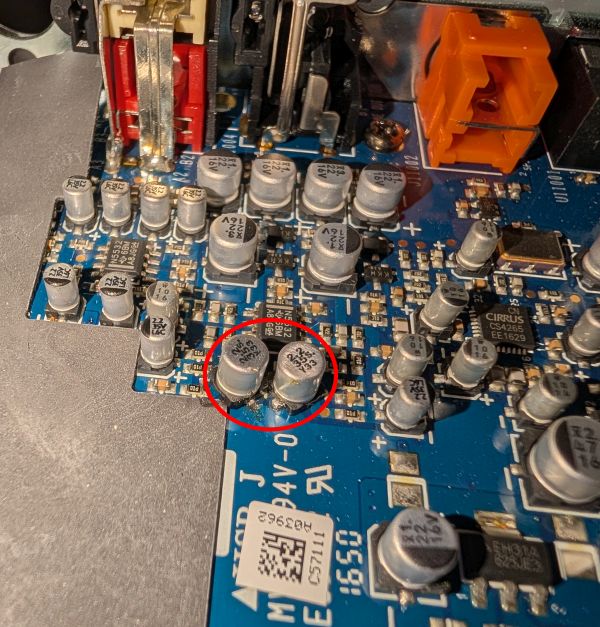
FoggyLogSat Jan 17th 2026 21:17:58: Sonos Connect PCB RepairsBoth my Sonos Connect Gen2 devices failed in the past few months, so I decided I should probably try and repair them. I found this really useful DIYAudio.com thread which gave me a good idea of what might be wrong. One of my units was working according to the app, but no sound was coming out (low / no analogue output?). The other one worked, but was regularly cutting out (PSU ripple causing the amplifier to mute?). When I investigated, the one that was cutting out had two swollen capacitors in the PSU. The other one had no visible issues. I went ahead and replaced the six electrolytic capacitors in the power supply (photos prior to replacement):
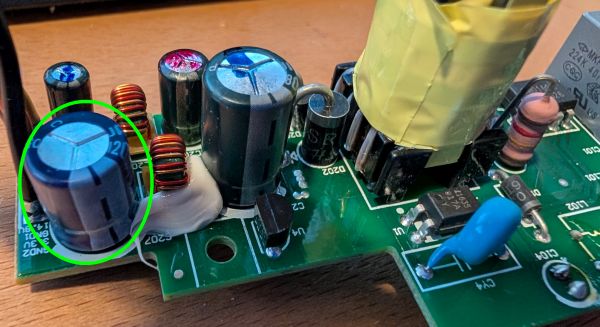
I tested the PSU outputs before reinstalling it and found the ~14V rail was around 18V and the 3.3V was oscillating all over the place on my multimeter. So I reinstalled the original capacitors one at a time and found that the problem went away when I put the original 3.3V output capacitor back in place - this one circled in green:
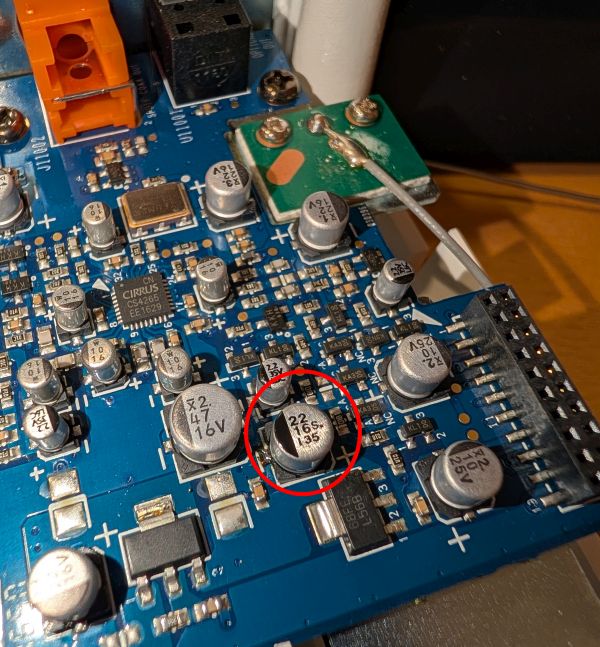
I also replaced the following SMT capacitor on the amplifier board (Linear regulator output capacitor and two capacitors in the audio path), as the DIYAudio.com thread I mentioned above pointed towards these for muting issues and no audio output (photos after replacement):
When I put them both back together, this seems to have solved all the issues and they are happy again :-) My capacitor shopping list (excluding the one I didn't use on the PSU board) was:
If you'd like a kit of capacitors, you can buy my left over ones here Be aware the capacitor replacement is a bit tricky as there are some big copper areas on the PSU board which means you'll need a good soldering iron and the SMT capacitors are pretty tight for space
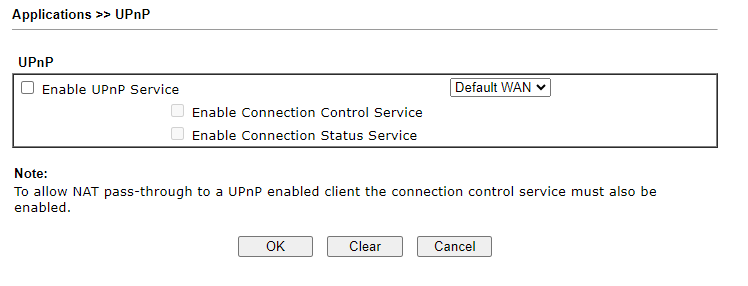
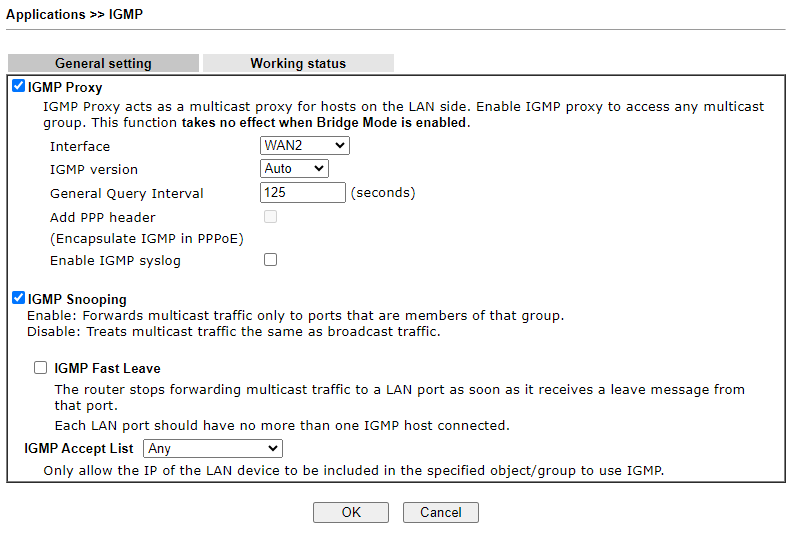
Sun May 19th 2024 09:05:31: Draytek Router Configuration for SonosI have a few different Sonos speakers (Play:5, Play:3, Beam, Connect) connected via Ethernet or Wifi. Over the past few months I've been having lots of issues with the Ethernet Play:3's falling off the Sonos network and appearing as not connected, or “Unable to Connect to Product”. This also seemed to sometimes make the Connects and the Wifi Play:3 disappear as well. The Play:5 and the Beam seemed robust and never disappeared. I was wondering if it might be a hardware issue (I had an issue with the PSU inside a Connect previously which seemed to be fixed by reflowing the solder joints), however it was odd that it happened to both Play:3s and not just one. So I started fiddling with settings on my Draytek Vigor 2862 router. I've now concluded that these settings seem to work for me. I don't know if they are right, but they solved the issue!
Make sure the IGMP Proxy is using the right WAN interface. I think my key problem was that I switched from having my internet connection on WAN1 to WAN2 when I upgraded to fiber and I had not changed this setting.
Mon Dec 28th 2020 16:15:01: Door not opening on Panasonic MicrowaveThe door release button on our Panasonic NN-ST479S BPQ microwave has not worked very well for quite a while. You always had to lift the door slightly before it would release. Otherwise the door would not open. Well it turns out it just needed a bit of lubrication. I squirted some Gibbs Brand lubricant in the latch on both the door and the microwave and it was fixed! You could probably also use some silicone spray. I would not recommend WD40 as that is not actually a lubricant (certainly not long term anyway).
Sun Sep 29th 2019 22:07:02: Synology NAS VERY slow to verify drives and data scrubb (Solved)I just migrated from a DS1815+ to a DS1819+ and my 14Tb SHR2 volume needed Data Scrubbing and verifying. This process was happening very slowly.... By my maths it was going to take 50 days to complete (4% in 48 hours). I tried disabling Surveillance Station but that made no difference. Then I noticed that I had a Hyperbackup backup running as well which was taking ages. I stopped all backups and suddenly the verify process is making much better progress!
Tue Aug 6th 2019 19:11:00: Psion Software DownloadsOver the years I've had some emails asking if I still have the old Psion software for connecting a Psion to a PC. Well here is what I have found lying around on my NAS drive. Dates must be the dates I downloaded them from somewhere. Please don't ask me what they all are - they are offered here without support :-)
If you have any nuggets of knowledge, please make a comment below!
Fogma Home | Previous Entries >>

|
|